5 Automations Every Remote Host Needs
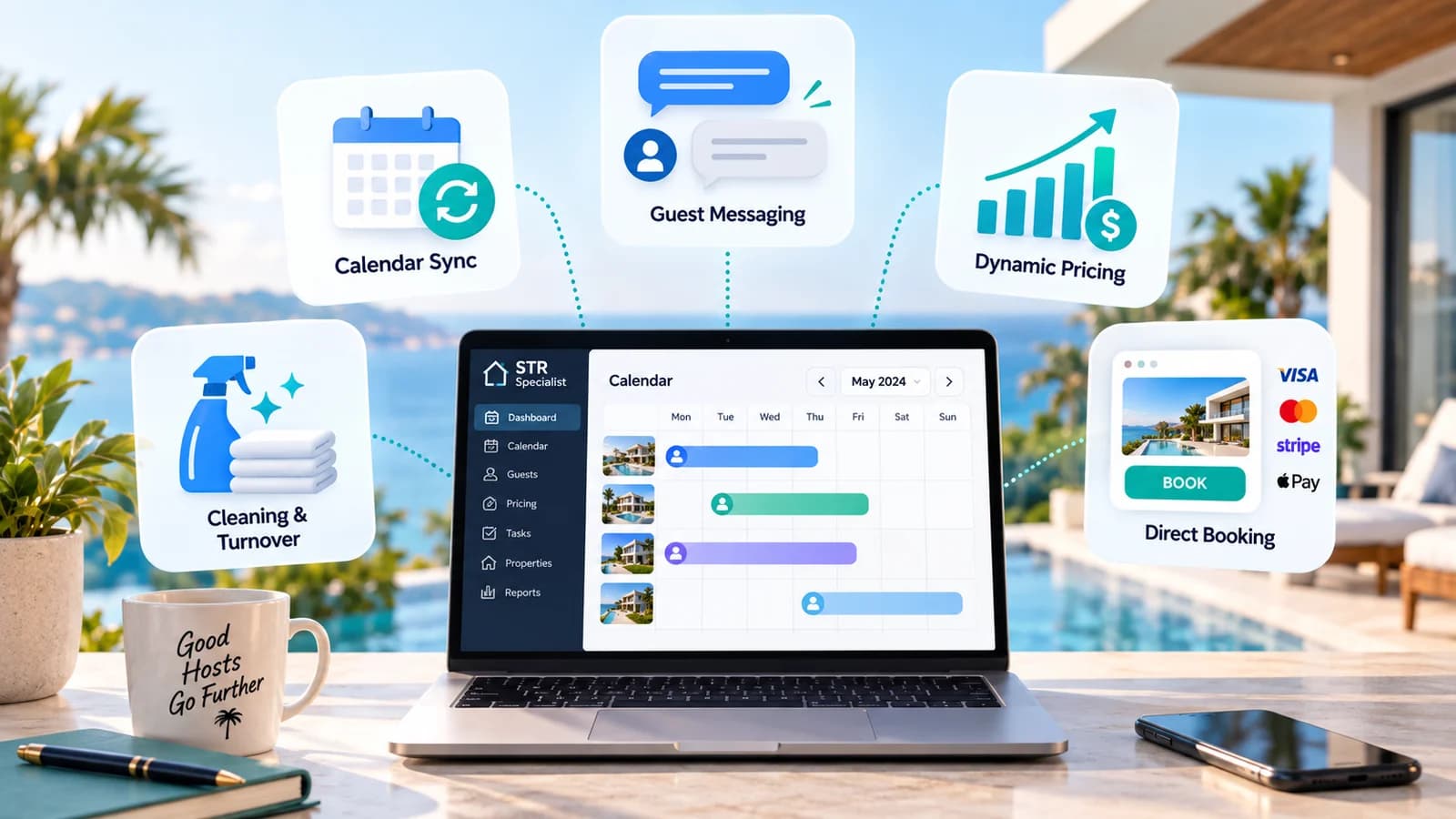

The first year I managed a short-term rental from a different city than the property, I nearly lost a booking to a double-reservation – one guest confirmed on Airbnb, another confirmed on Vrbo, same three nights, same house. Nobody's fault but mine: I was updating two calendars by hand, and I missed a sync.
That was the moment remote hosting stopped being a spreadsheet hobby and became a systems problem. If you're not physically at the property to catch things as they happen, the property has to run on rules you set up in advance – not on your ability to notice a problem in real time. That's what pushed me to rebuild my entire operation around Lodgify, the channel manager and booking platform that now runs the parts of my business I used to do manually at 11pm from my phone.
Below are the five automations that actually made remote management sustainable – not "nice to have" tech, but the specific things that stopped fires before they started.
1. Calendar and Channel Sync
This is the one that would have saved me from that double-booking. If you list on more than one platform – Airbnb, Vrbo, Booking.com, your own direct site – every night a guest books on one platform has to instantly block that night everywhere else. Manual calendar updates work fine until the day you're in a meeting, on a flight, or just forget, and that's the day it costs you a guest, a bad review, and a relocation payout.

A proper channel manager syncs availability across every platform in real time, so the moment a reservation comes in anywhere, it's blocked everywhere. I run this through Lodgify's channel manager, and it's the single automation I'd refuse to host without. If you manage more than one listing, or list on more than one OTA, this isn't optional – it's the floor.
2. Guest Messaging on Autopilot
Guests expect a response within minutes, not hours – and remote hosting means you're not always awake, available, or near a signal when the question comes in. The fix isn't hiring someone to sit by a phone; it's automating the predictable 80% of messages so a human only has to handle the genuinely unusual ones.
I have automated sequences that fire on their own:
- Booking confirmation with parking, entry code timing, and what to pack for the season
- Check-in instructions sent exactly 24 hours before arrival, with the door code and wifi password
- Mid-stay check-in asking if anything's needed – this alone has cut my negative reviews noticeably, because small issues get flagged and fixed before checkout instead of showing up in the review
- Checkout reminders with the trash and key instructions
- Review requests timed so guests aren't asked mid-rush, right when they're packing the car or handing back keys, but once they've actually had a moment to reflect on the stay

I built this messaging flow inside Lodgify's automated messaging, because it ties directly to the reservation data, so the automation knows the actual check-in time, door code, and guest name without me touching a template for every booking.
3. Dynamic Pricing That Doesn't Wait for You to Log In
Pricing is the automation hosts skip longest, because it feels like something you should be actively deciding. In practice, nightly rates need to move with demand, local events, and how far out a date is – daily, sometimes hourly – and no remote host is checking a dashboard every morning across multiple properties and time zones.

This is one place I was glad I didn't have to stitch together a separate tool. Lodgify's dynamic pricing is built into the same calendar I'm already managing everything else from – it adjusts nightly rates automatically based on demand signals and pushes the update to every connected platform at once, with no second login and no separate sync to babysit. The result isn't just higher revenue – it's fewer wasted nights sitting empty at a price nobody was going to pay, and fewer nights given away too cheap because I hadn't checked in a week.
4. Cleaning and Turnover Coordination
This is the automation that fails loudest when it's missing. A guest checks out at 11am, a cleaner needs to know immediately, and the next guest can't check in until the property's actually ready – all without you personally texting three people every single turnover.
What I automate through Lodgify's Task Management:
- A task is auto-created and assigned to the cleaning team the moment a checkout is confirmed
- The cleaner gets the next check-in time so they know their real deadline, not just "sometime today"
- I get a notification the moment the task is marked complete, so I know the turnover happened without having to chase anyone for confirmation

Worth flagging: this level of task automation is part of Lodgify's Task Management feature, which comes with their Ultimate plan rather than every tier – so check what's included before assuming it's there by default. Coordinating turnovers manually across even two properties is where remote hosts burn out. Automating it is what actually makes multi-property, multi-city management possible instead of theoretical.
5. Direct Booking and Payment Collection
The last piece is getting bookings – and getting paid – without manually invoicing every guest or depending entirely on OTA traffic. A direct booking website tied to the same calendar you're already syncing means guests can book straight from you, at a rate you control, without waiting on Airbnb or Vrbo's fee structure eating into the margin.
Payment collection, deposits, and payout timing run automatically once a direct booking comes in – no chasing a bank transfer, no manually reconciling who paid what. I run my direct site through Lodgify's booking engine, and it's meaningfully changed how much of my revenue comes without an OTA commission attached.

If you're weighing whether to bother setting any of this up, start a free Lodgify trial and test it against however you're managing bookings today – it's the fastest way to see which of these five actually moves the needle for your properties.
The Actual Point
None of these automations replace good hosting – they replace the parts of hosting that were never actually about hospitality in the first place: re-typing the same message, manually blocking a calendar, chasing a cleaner by text, guessing at tonight's price. Automate those, and what's left is the part guests actually notice: a place that's ready, a host who responds fast, and a stay that goes smoothly whether you're five minutes away or on the other side of the world.
If you're managing remotely and still doing any of these five by hand, that's the order I'd fix them in – starting with calendar sync, because that's the one that costs you a guest, not just an evening.