Airbnb Hosting Tips: How to Block Someone on Airbnb
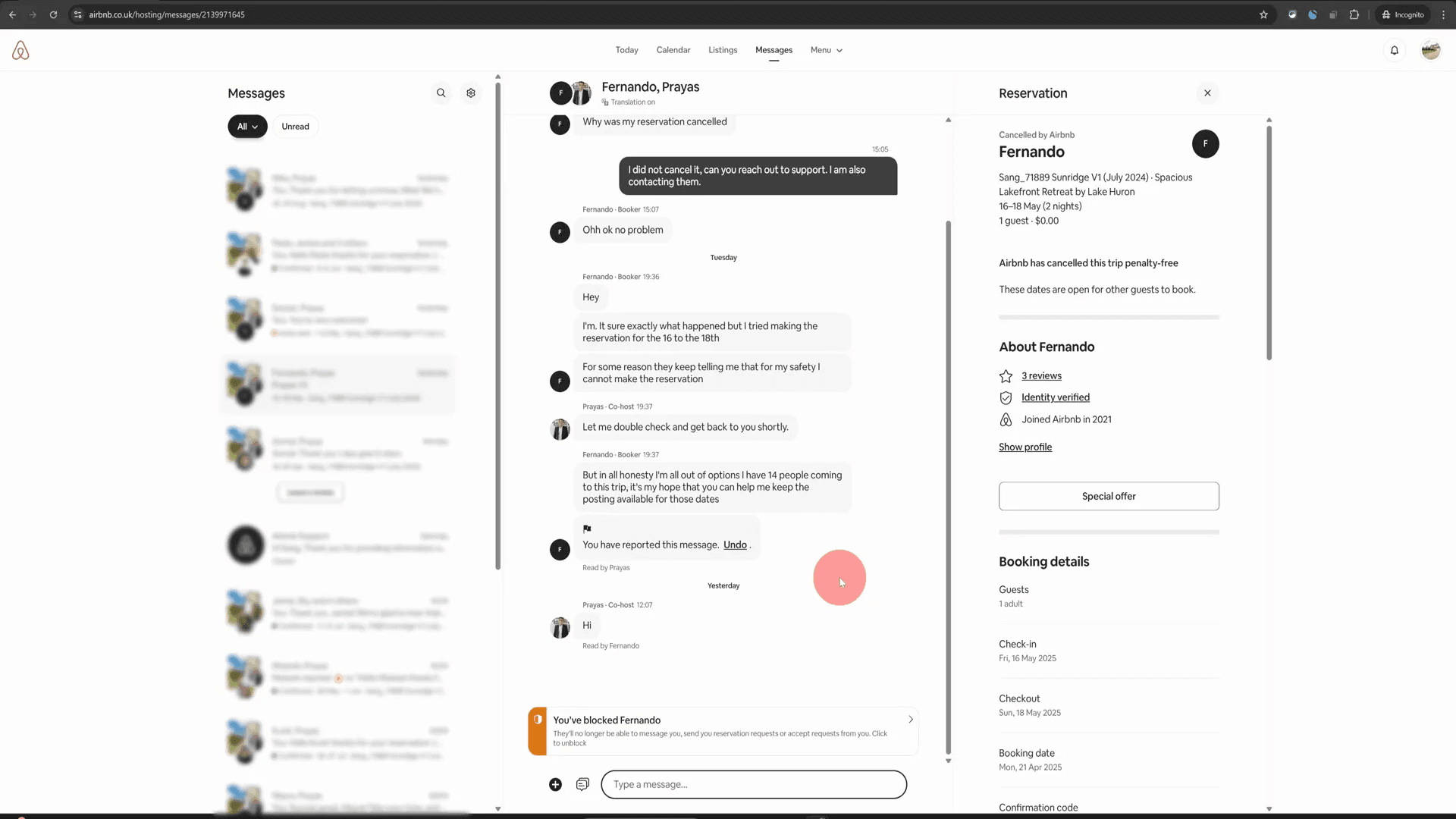

Blocking someone on Airbnb, whether it’s a guest or another host, can seem daunting, but it’s quite straightforward once you know the steps. In this guide, I’ll walk you through the exact process of blocking someone, ensuring your experience on the platform remains safe and enjoyable. Let’s dive into these Airbnb hosting tips!
Table of Contents
- Step 1: Access the Message Thread
- Step 2: Report the Message
- Step 3: Choose Your Reason
- Step 4: Indicate Where Contact Info Was Shared
- Step 5: Submit the Report
- Step 6: Block the Person
- Step 7: Confirmation of Block
- Step 8: Unblocking if Necessary
- Conclusion
- FAQ
- Further Resources
Step 1: Access the Message Thread
The first thing you need to do is navigate to the message thread with the person you want to block. This is where all your communication with them is recorded. If you’re using a computer, simply click on the conversation. On mobile, hold your thumb on the message to bring up the options.
Step 2: Report the Message
Once you’re in the message thread, look for three dots or a flag icon. Click on this, and you will see a menu. From here, select "Report this message." This option is crucial for documenting any issues you’ve had with the person.
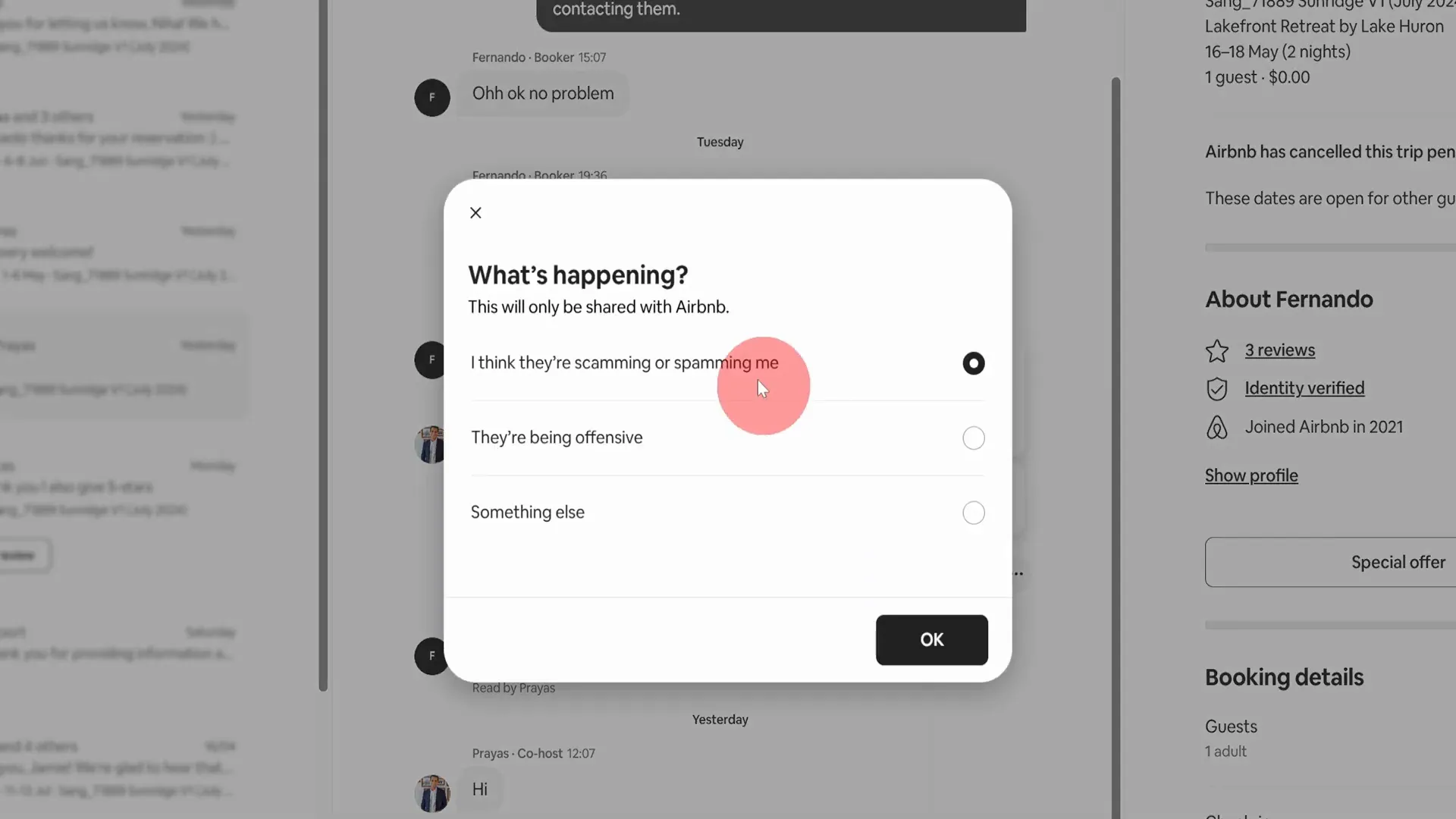
Step 3: Choose Your Reason
After reporting the message, you’ll be prompted to choose a reason. In many cases, you might want to select "They asked me to communicate outside Airbnb." This is a common reason for blocking someone, as it violates Airbnb’s policies.
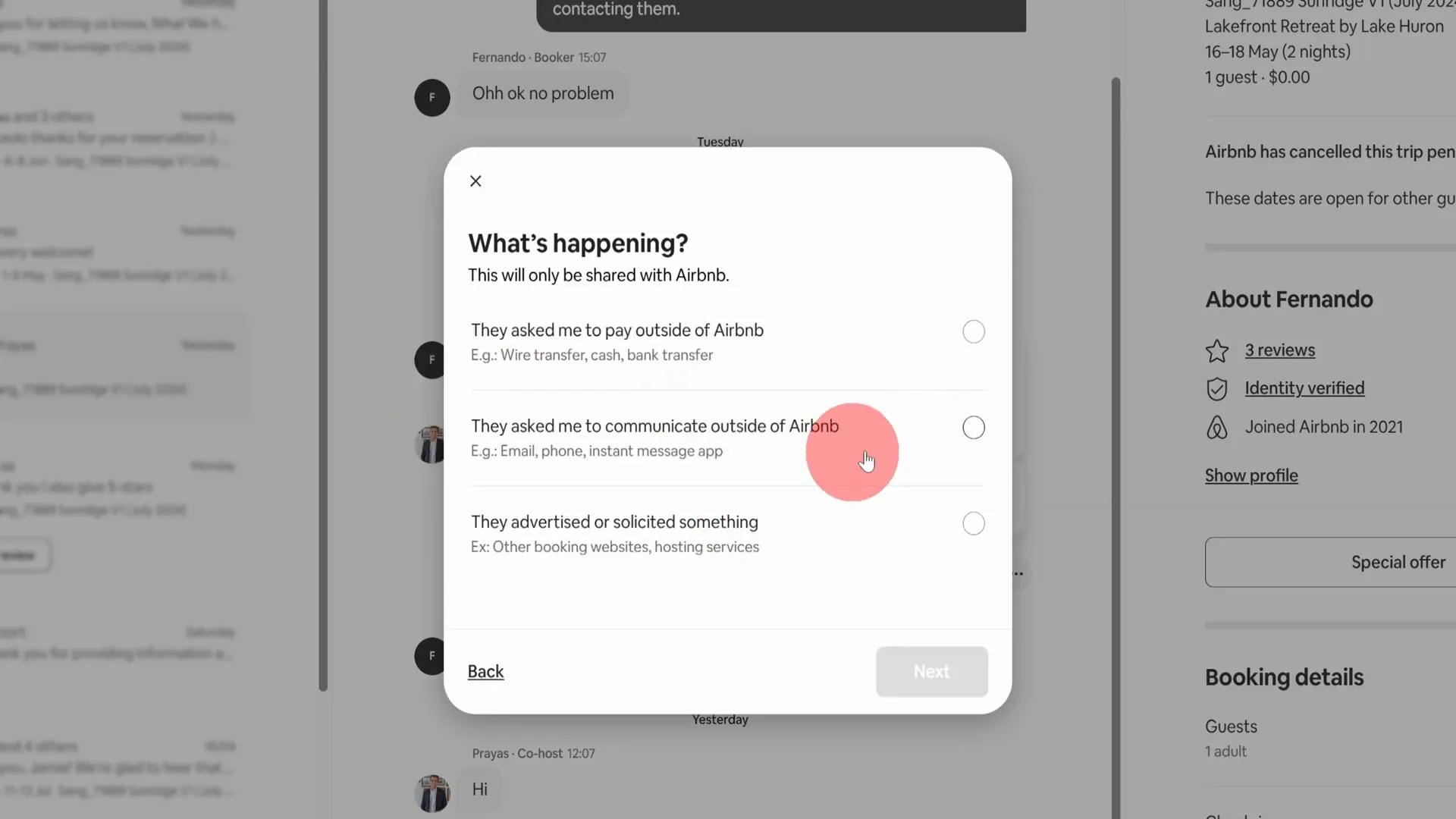
Step 4: Indicate Where Contact Info Was Shared
Next, you’ll need to indicate where the contact information was shared. You can simply say "Airbnb message." This step may feel redundant, but it’s necessary for the reporting process.
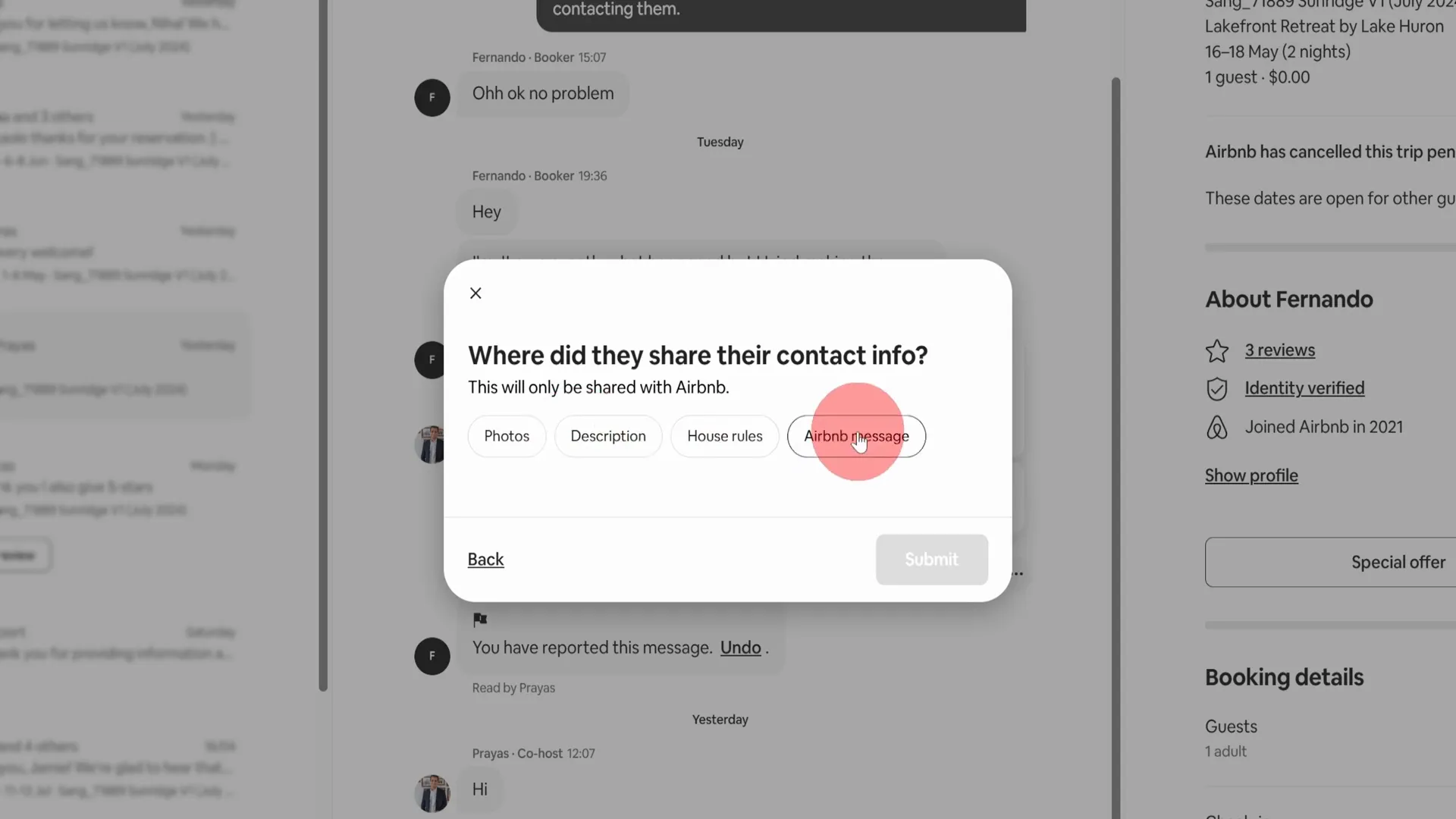
Step 5: Submit the Report
After filling out the necessary information, click on "Submit." This action gets your report into the system, although Airbnb doesn’t typically investigate these matters deeply. They focus more on ensuring users feel safe on the platform.
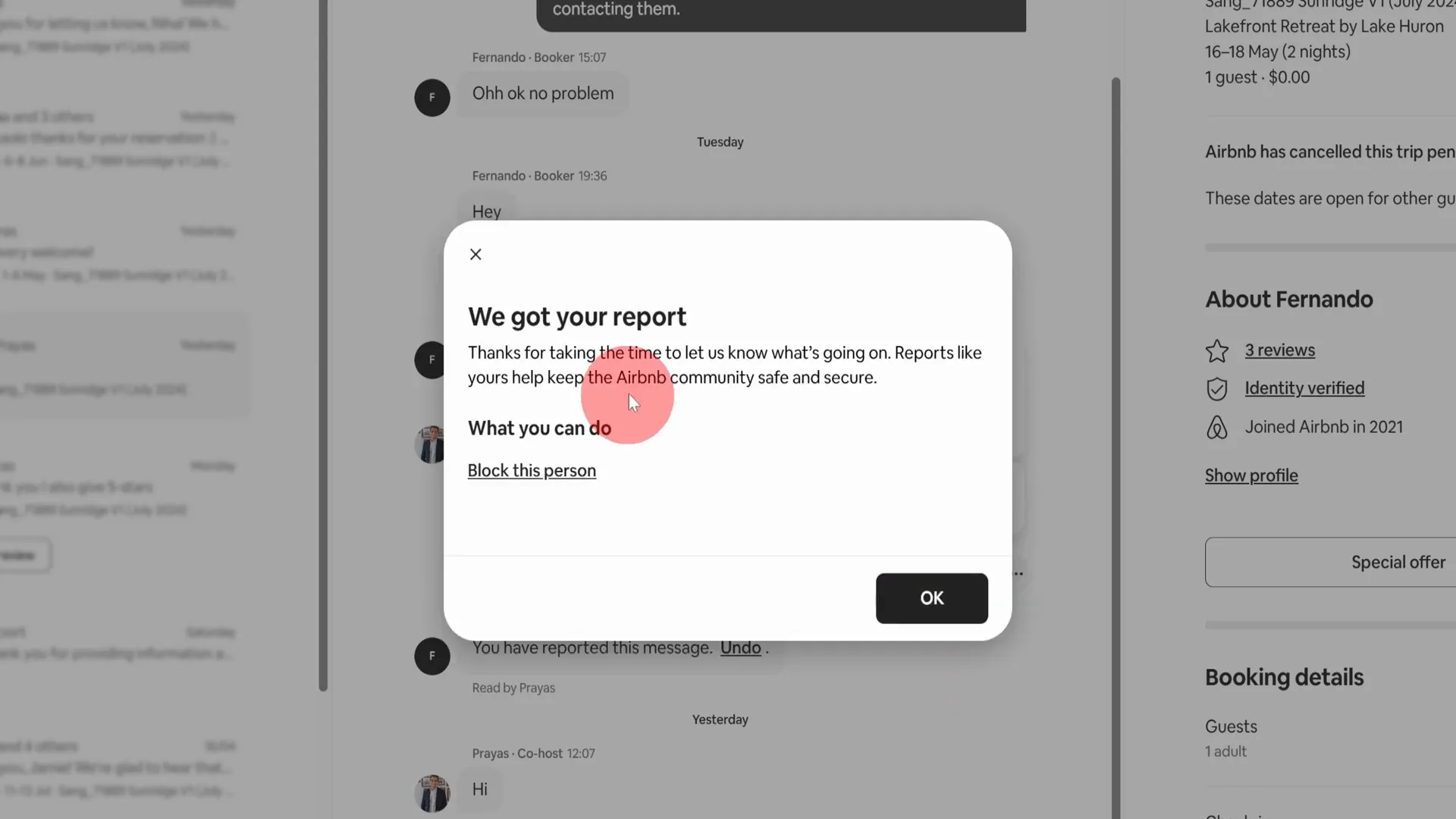
Step 6: Block the Person
Once your report is submitted, a popup will appear, giving you the option to block the person. Click on "Block this person" and then confirm by clicking the block button. This action will prevent them from messaging you or sending reservation requests.
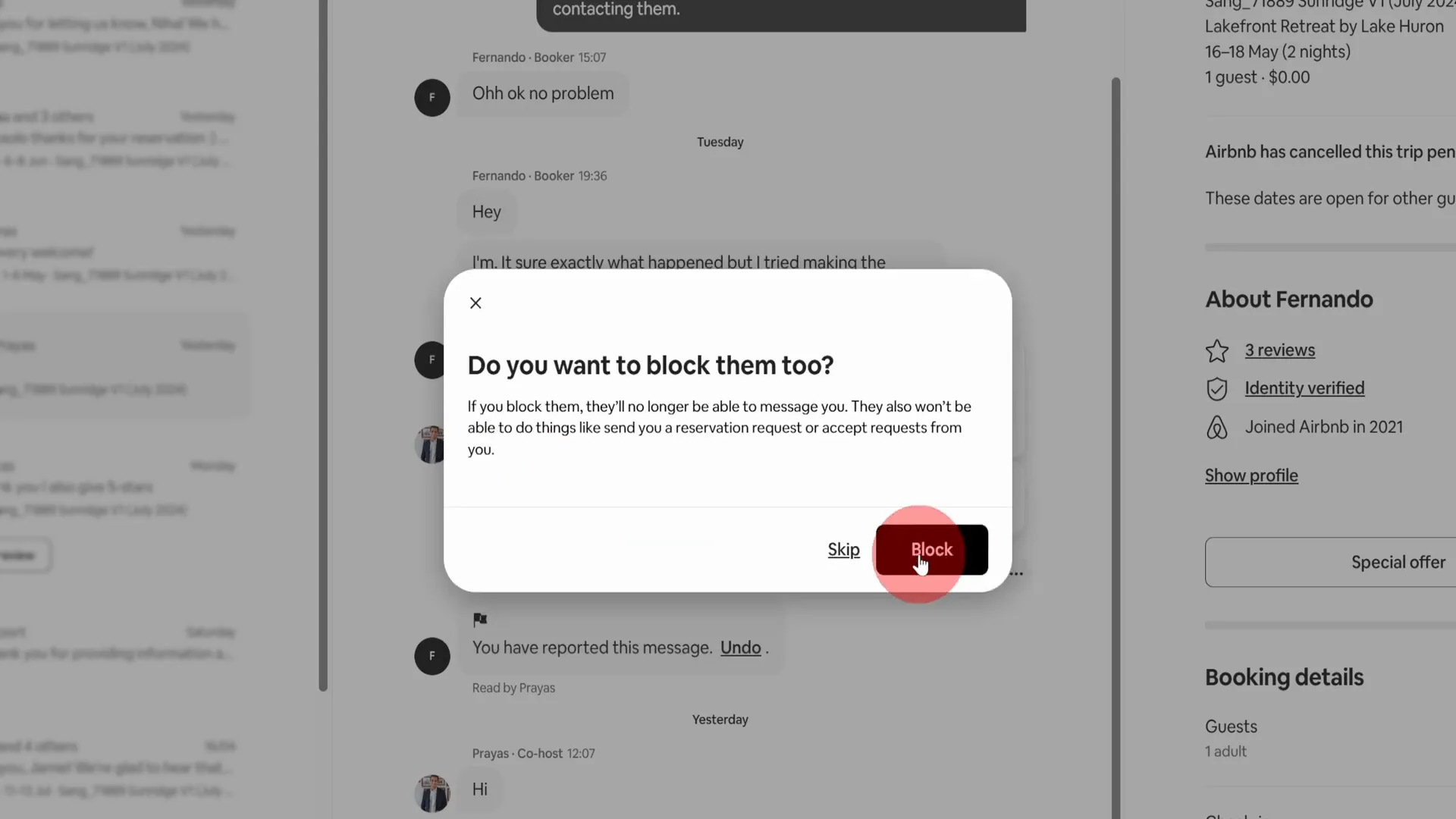
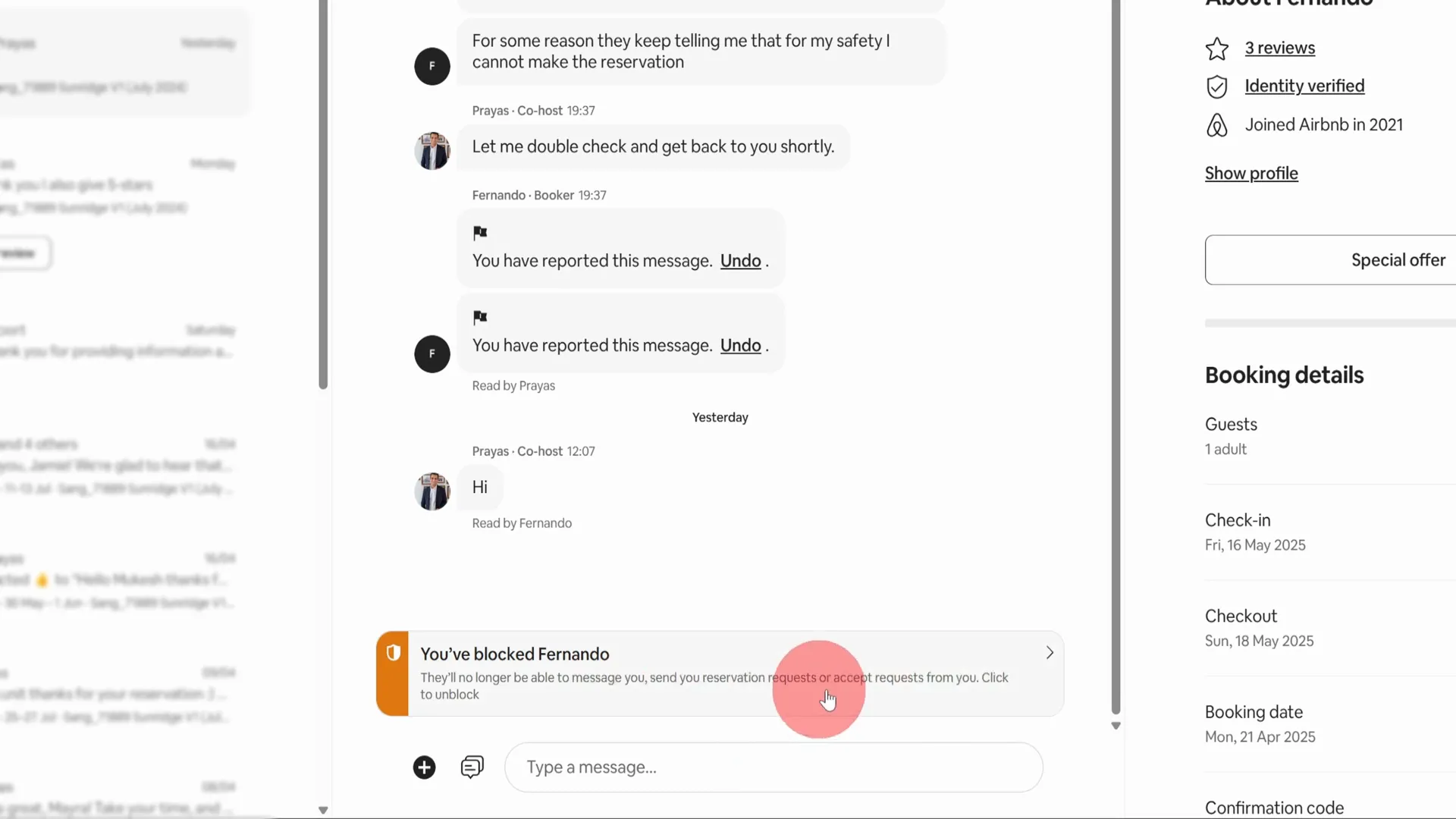
Step 7: Confirmation of Block
After completing the blocking process, you’ll receive a confirmation message stating that you have successfully blocked the person. They won’t be able to contact you anymore, which can provide peace of mind.
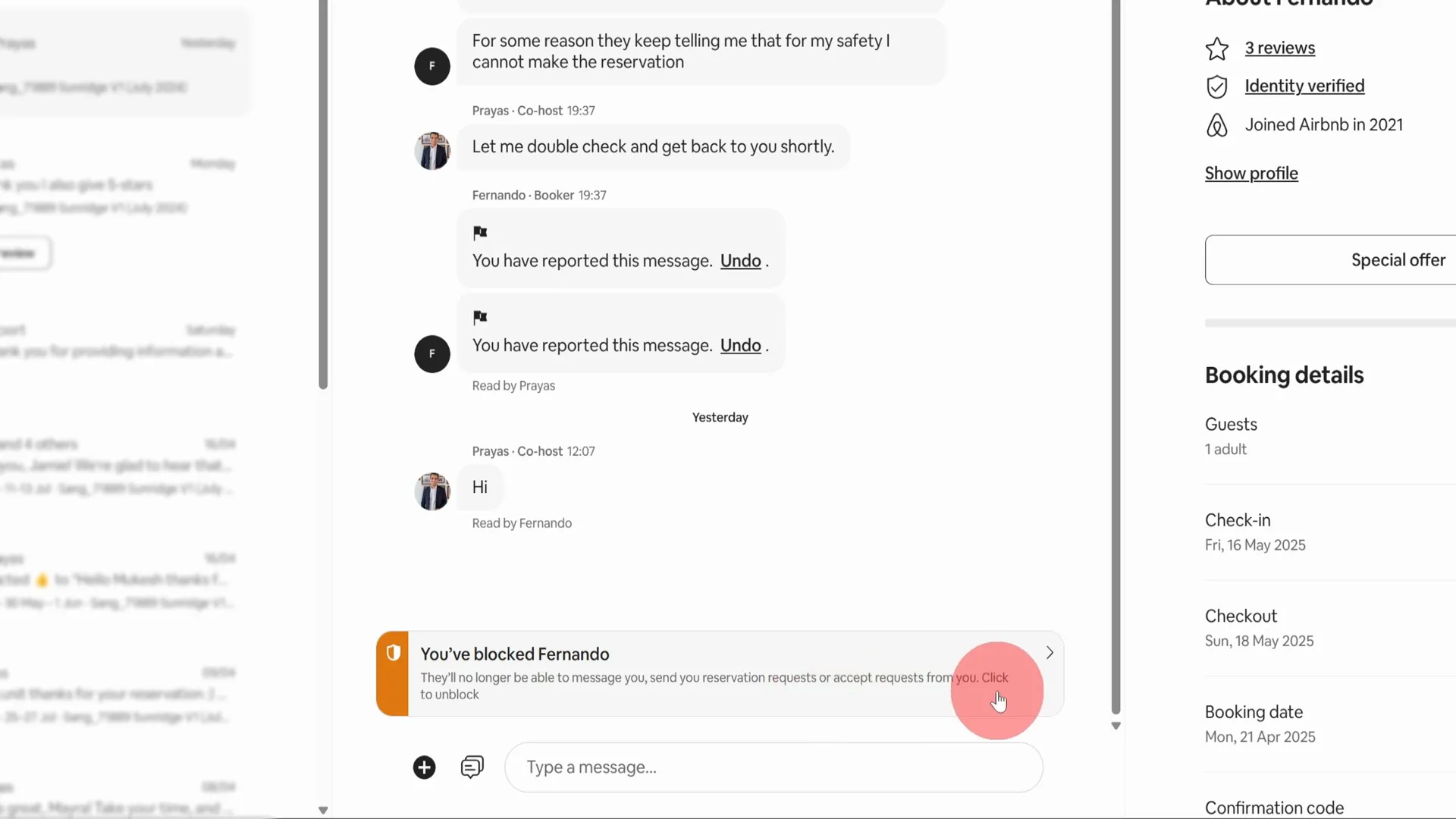
Step 8: Unblocking if Necessary
Should you ever decide to unblock someone, it’s just as easy. Simply revisit the message thread, and follow the prompts to unblock them. This flexibility is helpful, especially if situations change.
Conclusion
Blocking someone on Airbnb is a simple process that can enhance your hosting experience. Whether it’s to maintain safety or simply to avoid unwanted interactions, knowing how to do it effectively is an essential skill for every host. I hope these Airbnb hosting tips have been useful to you!
FAQ
Can I block multiple users at once?
No, you need to block each user individually through their message thread.
Will the blocked user know they’ve been blocked?
They won’t receive a notification, but they will notice they can no longer message you or send requests.
What if I block someone by mistake?
You can easily unblock them by following the same steps and choosing to unblock instead.
Are there any consequences for blocking someone?
Blocking someone does not have any repercussions on your account but ensures your safety and comfort while using the platform.
Further Resources
If you’re looking to enhance your hosting skills further, consider checking out my free No-Nonsense Airbnb Webinar. It offers valuable insights and tips that can help you succeed as a host.